TaskRio vs Tasks.Bot for Data Entry Automation Software
Data entry teams lose hours retyping the same fields into different systems. If your workflow depends on WhatsApp messages, voice notes, and field photos, the tool you pick decides whether that work shrinks or multiplies.
This comparison covers how Tasks.Bot handles data entry through WhatsApp, how it stacks up against TaskRio, and which features actually matter for entry teams. You will also see pricing, beta status, and a clear recommendation on which platform fits your operation.
What Is Tasks.Bot? Who It's Built For
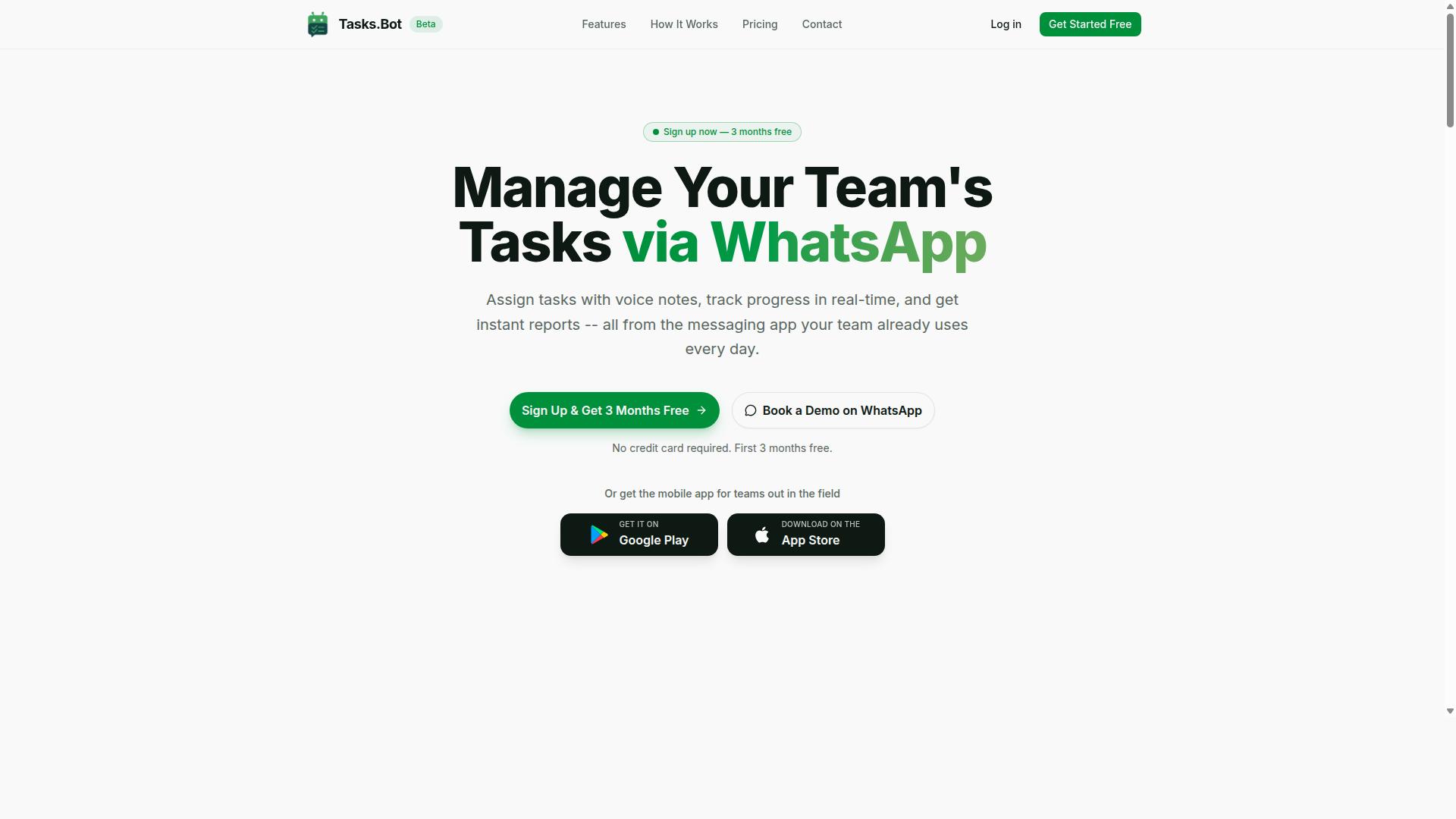
Tasks.Bot is a task management platform that operates entirely within WhatsApp, enabling teams to assign tasks, track progress, and receive reports without leaving the messaging app. Its core value is simplicity: no new app installs or separate accounts are required to get started.
The platform is built for teams that already run on WhatsApp, particularly those with field staff who need task management, attendance tracking, and payroll-ready hours in one place. A mobile app for field teams is also available for Android and iOS.
Tasks.Bot is currently in beta and offers a free trial period, making it easy for teams to evaluate the fit before committing.
How Tasks.Bot Handles Data Entry Workflows via WhatsApp
Tasks.Bot streamlines data entry workflows by allowing users to create tasks via voice notes or natural language within WhatsApp, which are then automatically assigned and tracked. The platform uses AI to understand user intent and create tasks from messages, cutting out manual form filling and repetitive typing.
For field teams, this matters because data entry often happens in the moment, not at a desk. A worker can send a voice note about a stock count or a customer update, and Tasks.Bot turns that message into a structured task.
Once a task is created, the workflow continues without extra steps:
- Automatic task assignment routes the item to the right person
- Smart deadline reminders keep entries from slipping through
- Approvals and automations add checkpoints where needed
- Instant reports turn submitted data into usable summaries
Together, these features reduce manual data entry and improve accuracy for field teams. Because everything flows through WhatsApp, the barrier to adoption stays low while task automation and workflow automation happen in the background.
TaskRio vs Tasks.Bot: Which Fits Data Entry Automation Better?
When comparing TaskRio and Tasks.Bot for data entry automation, the key differentiator is Tasks.Bot's native WhatsApp integration, which eliminates the need for additional software installation or user accounts. That single design decision shapes how each platform fits into a team's daily routine.
TaskRio is generally positioned as a conventional data entry automation tool, the kind of software a back-office team installs, configures, and logs into. Tasks.Bot takes a different route: it operates entirely within WhatsApp, so team members do not need to install anything or create new accounts. For data entry work that happens away from a desk, that difference matters more than any feature checklist.
Below is a side-by-side look at how the two approaches compare across the criteria that matter most for data entry automation.
| Criterion | TaskRio | Tasks.Bot |
|---|---|---|
| Ease of use | Typically requires setup, configuration, and user onboarding | Runs inside WhatsApp with no installation or new accounts |
| Communication tool integration | Usually separate from messaging apps teams already use | Built natively on WhatsApp, the channel many field teams already rely on |
| Data entry automation | Form-based or rule-driven entry, often tied to structured inputs | AI interprets natural language and voice notes for task creation |
| Field staff support | Depends on mobile access to the dedicated tool | Face-verified attendance and live GPS tracking for field staff |
| Pricing and trial | Varies by vendor plan | 3-month free trial with no credit card required |
| Best fit | Back-office teams with structured, desk-based entry | Distributed and field teams capturing data on the move |
The ease-of-use gap is the most visible. A traditional data entry automation platform asks users to learn an interface, and every new team member adds onboarding overhead. Tasks.Bot removes that layer because the interface is a messaging app most people already know. Adoption friction drops when there is nothing to install.
Integration with existing communication tools is where the two diverge most sharply. TaskRio, like many data entry automation products, tends to live beside a team's messaging rather than inside it. Tasks.Bot is the messaging channel itself, which means instructions, confirmations, and updates stay in one thread instead of scattering across systems.
On automation capability, the approaches differ in kind. Rule-based tools excel at repetitive, structured entry from known formats. Tasks.Bot's AI understands natural language and voice notes, so a team member can describe what happened in plain speech rather than filling a rigid form. That suits unstructured field data far better than a template-driven workflow.
For field teams, Tasks.Bot also adds face-verified attendance and live GPS tracking, capabilities that matter when the person entering data is not at a desk. Back-office teams with highly structured, high-volume entry may still prefer a traditional interface built around grids and forms.
On data security, Tasks.Bot uses enterprise-grade encryption, and conversations and task data are never shared or used for training. That is a meaningful point for anyone weighing how sensitive operational data is handled. The 3-month free trial with no credit card required also lets a team validate the fit before committing.
The verdict depends on the scenario. For distributed and field teams capturing data through natural language and voice, Tasks.Bot fits better because it removes installation, account creation, and interface training from the equation. For tightly structured back-office entry, a conventional tool may remain the safer default. Where data entry happens on the move, Tasks.Bot is the stronger choice.
Key Features That Matter for Data Entry Teams
Data entry teams require tools that minimize manual input and maximize accuracy, and Tasks.Bot delivers through features designed to capture and process data efficiently within WhatsApp. Not every feature in a data entry automation platform carries equal weight, so it helps to focus on the ones that directly affect speed, accuracy, and oversight.
The capabilities below matter most for teams handling high volumes of records, forms, and client details. They cover how tasks get created, how they get checked, and how progress stays visible throughout the day.
Tasks.Bot approaches this through native WhatsApp integration, supported by Android and iOS apps with push notifications, voice capture, and a home screen widget. The two areas that follow show where that setup pays off for data entry work.
Voice Notes, AI Task Creation, and Approvals
Tasks.Bot's voice note and AI-powered task creation allow team members to log data entry tasks by simply speaking, which the system then assigns automatically. The platform uses AI to understand user intent and create tasks from messages, so a spoken update becomes a structured item rather than a loose note someone has to interpret later.
This matters because manual input is where most errors begin. When a person types a client name, address, or reference number by hand, small mistakes slip through. Speaking the details and letting the system organize them removes one layer of transcription and reduces the chance of a field being filled incorrectly.
Approvals add a second layer of control. Tasks.Bot includes approvals and automations, which means a task can be routed for sign-off before it is treated as final. For data entry, that is the difference between a record entering the system unchecked and one that has passed a review step.
Consider a field agent who records a voice note about a new client. Tasks.Bot turns that message into a task assigned to the data entry team, with approval required before completion. The agent never opens a form, the data entry staff never chase a handwritten note, and the record is verified before it counts. Time is saved on both ends, and the error rate drops because review happens inside the workflow instead of after it.
Automatic task assignment and smart deadline reminders keep these items moving. A task does not sit unnoticed in a queue, and the person responsible sees it in the same channel they already use every day.
Live Day Tracker, Reports, and Field Data Capture
The Live Day Tracker provides real-time visibility into task progress, while instant reports and field data capture ensure that data entry teams can monitor and act on information as it is collected.
The Live Day Tracker shows where tasks stand, which deadlines are approaching, and how much work has been completed. For a data entry team, that visibility replaces the usual end-of-day guesswork. Supervisors can see what is done, what is pending, and what is at risk without asking for a status update.
Instant reports go a step further by summarizing tasks, approvals, and data entry activity automatically. Instead of compiling numbers by hand, a manager gets a ready view of throughput and approval status. That supports faster decisions and gives the team a clear record of what was processed.
Field data capture closes the loop. Field staff submit information through WhatsApp using text, voice, or images, and those submissions feed into the same workflow rather than sitting in a separate inbox. Tasks.Bot also supports tasks on a map, which helps teams connect incoming field data to a location when that context is useful.
The combined benefit for data entry teams is less lag between collection and processing. Information arrives, becomes a task, and moves toward approval without a chain of forwards and reminders. Accountability improves too, because each item has an owner, a status, and a visible deadline.
Tasks.Bot rounds this out with face-verified attendance and shifts, leave, and hours management, which keep staffing and workload aligned with the volume of data coming in. Together, these features give data entry teams a workflow that is captured, tracked, and reported in one place.
Pricing and Plans Compared
Tasks.Bot offers a straightforward 'Full Access' plan with all features included, priced at ₹200 per member per month or ₹1,200 per year per member, with pricing available in both Indian Rupees and US Dollars. There are no tiers to decode, no feature gates, and no upgrade paths to weigh before a team can get started with data entry automation.
That single-plan structure is unusual in a market where most data entry automation tools split capabilities across Starter, Pro, and Enterprise levels. Tasks.Bot instead gives every member the same complete feature set from day one, which makes budgeting simpler for teams comparing options in a software comparison.
The annual option deserves attention for anyone planning long-term use. Paying ₹1,200 per year per member instead of the monthly rate saves 50%, or ₹1,200 per year per member. For a team of five, that difference adds up quickly when spreadsheet automation and document processing run every working day.
Currency flexibility matters for global teams. The site states 'Select currency' with options for Indian Rupee and US Dollar, so buyers should verify the setting before checkout. This avoids confusion for organisations that report costs in USD but operate across regions.
New users also get 3 months free, with no credit card required, and can cancel anytime. That trial window gives a team room to test trigger-based workflows, scheduled tasks, and other workflow automation needs against real data before committing budget.
| Plan Detail | Tasks.Bot 'Full Access' |
|---|---|
| Monthly cost | ₹200 per member per month |
| Annual cost | ₹1,200 per year per member |
| Annual savings | 50%, saving ₹1,200 per year per member |
| Currency options | Indian Rupee (₹) and US Dollar ($) |
| Feature tiers | None, all features included in one plan |
| Free trial | 3 months free, no credit card required |
| Cancellation | Cancel anytime |
Compare that with typical pricing models in the broader automation space. Many vendors charge per user with tiered feature limits, while others bill per transaction or per document processed. Those models can look affordable at low volume but become harder to predict as invoice processing or form filling workloads grow.
Per-transaction pricing also creates a planning problem. Teams handling seasonal spikes in data extraction or optical character recognition may face unpredictable bills. A flat per-member rate removes that variability, which helps finance teams forecast costs more confidently.
Per-user models with feature gates add a different friction. Buyers often discover that API integration, conditional logic, or event-driven automation sit behind a higher tier. Tasks.Bot avoids that by including everything in the one plan, so capability and cost stay aligned.
For readers weighing TaskRio against Tasks.Bot in a software comparison, the pricing question comes down to transparency. Tasks.Bot publishes a single rate, offers both currency options, and includes all features. That clarity is a genuine advantage for small teams and citizen developers who want to start without a procurement cycle.
One practical step before purchase: confirm the currency selection on the site, since the 'Select currency' option determines whether billing shows in Indian Rupees or US Dollars. After that, the 3-month free window with no credit card required makes it easy to evaluate the platform on real tasks.
Overall, Tasks.Bot's pricing stands out for its simplicity. A single plan, two currencies, a 50% annual saving, and a no-risk trial period give buyers a clear picture of cost before they commit to automating document processing or data migration work.
Trust Signals: Beta Status, Refund Policy, and Teams Already Using It
Tasks.Bot is currently in beta, which means it is actively evolving, and it offers a refund policy while being used by hundreds of teams, indicating early traction and reliability. For anyone weighing TaskRio against Tasks.Bot for data entry automation, these trust signals matter as much as the feature list itself. Beta status cuts both ways, so it deserves a clear-eyed look rather than a quick dismissal.
On the positive side, a product in beta tends to improve quickly. Feedback from real users often shapes the roadmap, and issues get addressed while the team is still close to the code. For teams comfortable with some flux, that can mean faster access to refinements than a mature tool that updates on a slow cycle.
The tradeoff is stability. Beta software may carry rough edges, and workflows built around it could shift as features change. Risk-averse teams, especially those running high-volume invoice processing or scheduled data extraction, should weigh that carefully. Beta is not a flaw, but it is a commitment to change.
The refund policy, listed in the site footer, acts as a practical risk mitigator. It gives cautious buyers a way to test the tool against real workloads, such as form filling or spreadsheet automation, without carrying the full downside if it does not fit. That lowers the cost of finding out whether Tasks.Bot suits a specific data entry automation need.
Social proof adds another layer. Hundreds of teams already use Tasks.Bot, which suggests the platform is not a speculative experiment. That kind of adoption does not guarantee a perfect fit for every use case, but it does show that others have found enough value to stay.
For those who want to evaluate before committing, the website includes a Book a Demo on WhatsApp option. It is a low-commitment way to ask questions, see how the tool handles a particular workflow, and judge whether the beta stage is workable for your team. Combined with the refund policy, it makes the decision less about trust and more about fit.
Being transparent about the beta label helps here. Tasks.Bot does not hide that it is still developing, and that honesty is itself a signal. Teams evaluating data entry automation software should treat beta status as one factor among several, alongside the refund policy and the existing user base, rather than as a dealbreaker on its own.
Who Should Choose Tasks.Bot for Data Entry Automation
Tasks.Bot is ideal for teams that already rely on WhatsApp for communication, particularly those with field staff who need to capture data, track tasks, and generate reports without switching apps. That focus shapes exactly who gets the most value from it.
The platform serves teams that use WhatsApp for communication, especially those with field staff handling task management, attendance tracking, and payroll-ready hours. According to the site, hundreds of teams already use the service. If your work happens on a phone rather than a desktop, this approach fits naturally.
Four groups tend to benefit most:
- Field service teams who log jobs, deliveries, or site visits from a phone
- Sales teams capturing leads, orders, and customer feedback between appointments
- Small businesses without IT staff to configure and maintain automation tools
- Remote teams already coordinating day to day through WhatsApp
The common thread is simple. These users need no training because the interface is WhatsApp itself, which most people already know. Tasks.Bot works on any device with WhatsApp, so a technician on a job site and an owner in an office use the same tool.
Both voice and text input are supported, which matters when typing on a phone is slow or impractical. A driver can speak a delivery note instead of filling out a form.
Practical examples show where this fits. A courier logs a completed delivery. A warehouse worker updates inventory counts after a stock check. A sales rep captures customer feedback right after a meeting, while the details are fresh.
Tasks.Bot is not built for every scenario, and that honesty helps. Large enterprises with dedicated IT departments often need heavier workflow automation such as robotic process automation, OCR for document processing, invoice processing pipelines, ERP integration, or API integration across many systems. Those projects call for a low-code platform or citizen developer program with conditional logic, scheduled tasks, and event-driven automation.
Teams wanting that depth should look at enterprise-grade options. Teams wanting fast adoption on the tools they already carry should choose Tasks.Bot.
For field-heavy, mobile-first operations, the decision is straightforward. Tasks.Bot removes the learning curve, works wherever WhatsApp works, and turns everyday messages into organized records for task management, attendance, and payroll-ready hours.
Final Verdict: Is Tasks.Bot the Better Pick?
Tasks.Bot stands out as a practical choice for data entry automation if your team lives in WhatsApp, offering a unique blend of simplicity, AI-powered task creation, and real-time tracking. Instead of asking people to learn another dashboard, it meets them inside a messaging app they already open dozens of times a day.
That design decision shapes everything else about the product. There is nothing to install, no separate login to remember, and no training session required before someone can log a task. For teams that have watched a promising automation tool gather dust because adoption never happened, that difference matters more than any feature list.
Below is a summary of where Tasks.Bot performs well, where it has limits, and which types of teams get the most from it.
Key strengths worth weighing:
- WhatsApp-native workflow: task creation, updates, and tracking happen in the same chat window your team already uses, which lowers the barrier to daily use.
- No installs required: onboarding is a conversation, not a deployment project, so new members can participate immediately.
- Voice notes: spoken updates become a usable input, which helps field staff, drivers, and anyone who finds typing on a phone slow.
- AI-powered task creation: the platform uses artificial intelligence to help turn messages into structured tasks, reducing manual entry effort.
- Real-time tracking: status is visible as work progresses rather than being reconstructed later from memory or spreadsheets.
- Straightforward pricing: the cost structure is simple enough to evaluate without a procurement cycle, which suits small and mid-sized teams.
For data entry automation specifically, the appeal is the combination of low friction and structured output. Information that would otherwise sit in a chat thread or a voice message can be captured as a trackable item, which is the first step toward cleaner records and fewer manual re-entry errors.
Limitations to keep in mind:
- Beta status: Tasks.Bot is still in beta, so features and behaviour may evolve. Teams that need a long-stable platform with an extensive track record should factor that in.
- Complex enterprise needs: organisations with heavy compliance requirements, deep ERP integration demands, or large-scale robotic process automation programmes may find a conversational tool too lightweight on its own.
- Communication habit dependency: the whole value proposition rests on WhatsApp being central to how your team works. If it is not, the advantage largely disappears.
None of these are disqualifying. They simply define the shape of the fit. A beta product that people actually use tends to deliver more value than a mature platform that nobody opens.
Who should choose Tasks.Bot:
- Small teams and startups that want task automation running this week, not after a rollout plan.
- Field and remote teams where voice notes and mobile-first updates are the natural way to report work.
- Operations and admin staff handling repetitive data entry who need a faster capture path than a spreadsheet.
- Managers who want real-time visibility without chasing status updates through calls and emails.
Who may want to look further: large enterprises with strict data residency rules, dedicated IT procurement processes, or a need for on-premise deployment and deep API integration across many systems. In those environments, a conversational layer often works best alongside a heavier automation stack rather than replacing it.
The verdict: if your team communicates on WhatsApp and your pain point is slow, manual, error-prone data capture, Tasks.Bot is the better pick. It removes the adoption barrier that sinks most task automation projects, and it does so with AI assistance, voice input, and live tracking built around a tool your people already trust. If you need enterprise-grade controls and extensive system integration, treat it as a strong complementary layer rather than a full replacement.
To learn more or to book a demo on WhatsApp, contact Tasks.Bot by phone at +91 97143 42522 or by email at hello@tasks.bot.
Frequently Asked Questions
What makes Tasks.Bot different from TaskRio for data entry automation?
Tasks.Bot runs entirely inside WhatsApp, so your team can create tasks with natural language or voice notes and receive reports without installing anything or creating new accounts. It also includes face-verified attendance, tasks on a map, and live day tracking, which suits teams with field staff. TaskRio is a separate tool with its own approach, so the best fit depends on whether your team already works in WhatsApp.
Do my team members need to learn a new app to use Tasks.Bot?
No. Tasks.Bot operates within WhatsApp, so team members don't need to install anything or create new accounts. There is also a mobile app for field teams if they need it. This keeps onboarding simple compared to platforms that require everyone to adopt a separate system.
How much does Tasks.Bot cost?
Tasks.Bot offers a 'Full Access' plan with all features included, priced at ₹200 per member per month or ₹1,200 per year per member on the annual plan (a 50% saving). Pricing is available in both Indian Rupees and US Dollars. For the latest details, check the Tasks.Bot website or reach out at hello@tasks.bot.
Can Tasks.Bot handle voice notes and natural language for task creation?
Yes. Tasks.Bot uses AI to understand natural language and voice notes, so you can assign tasks by simply speaking or typing a message. This is especially useful for data entry workflows where team members are on the move. It also supports automatic task assignment, smart deadline reminders, approvals, and automations.
Does Tasks.Bot work for teams outside India?
Yes. Tasks.Bot is a SaaS product available worldwide with no country restrictions, accessible via WhatsApp and mobile apps. Pricing is offered in both Indian Rupees and US Dollars. You can book a demo on WhatsApp to see how it fits your team.
How do I try Tasks.Bot or get support?
You can book a demo on WhatsApp directly from the Tasks.Bot website. The service is currently in beta and a refund policy is mentioned in the site footer. For questions, contact hello@tasks.bot or call +91 97143 42522.